 Kivoform
Ask 12 types of questions
Text, choices, yes/no, stars, scales, NPS, dates, numbers, emails, and phone numbers. Every answer is checked before it’s sent.
Create a survey, a sign-up, or an order form right from your iPhone, share the link, and track the responses. The people who respond don’t install anything or need an account.
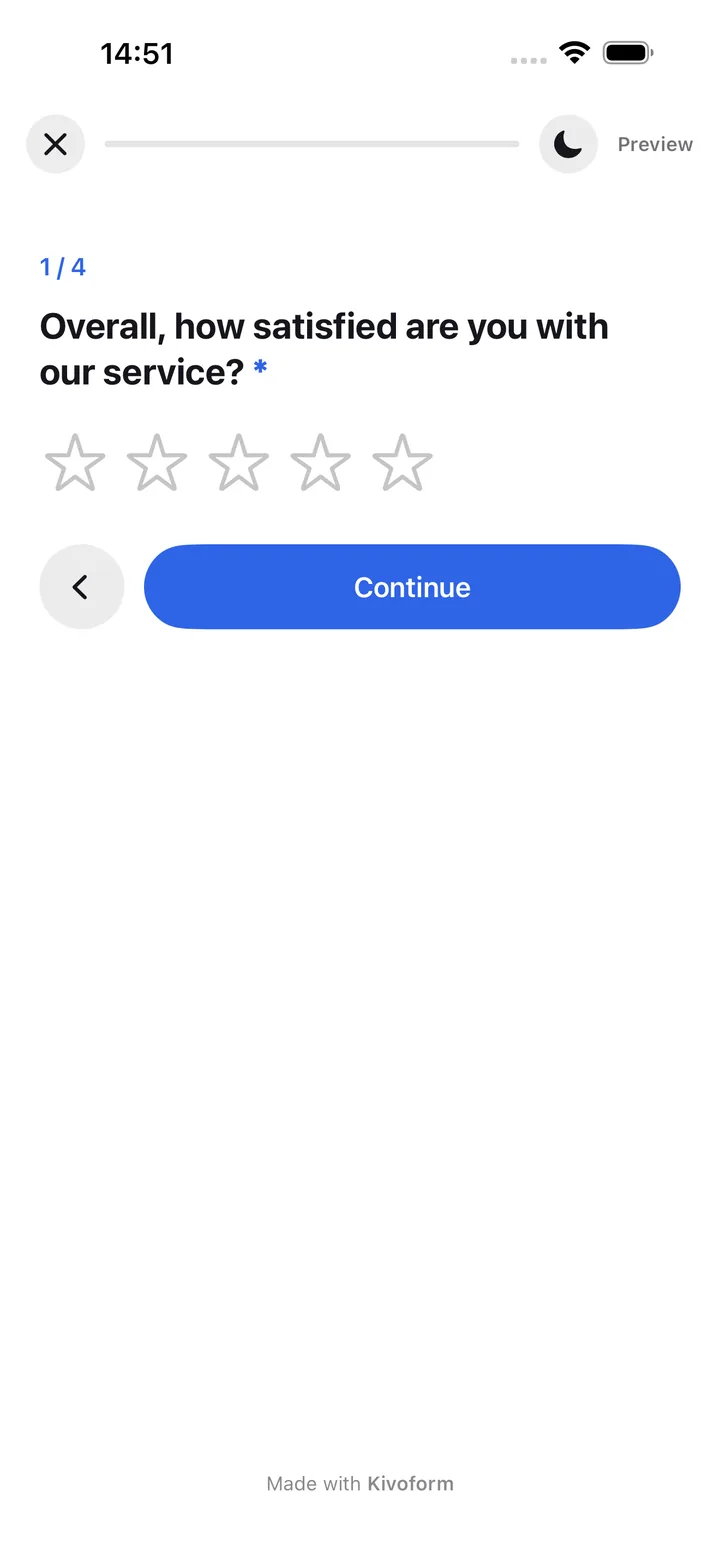
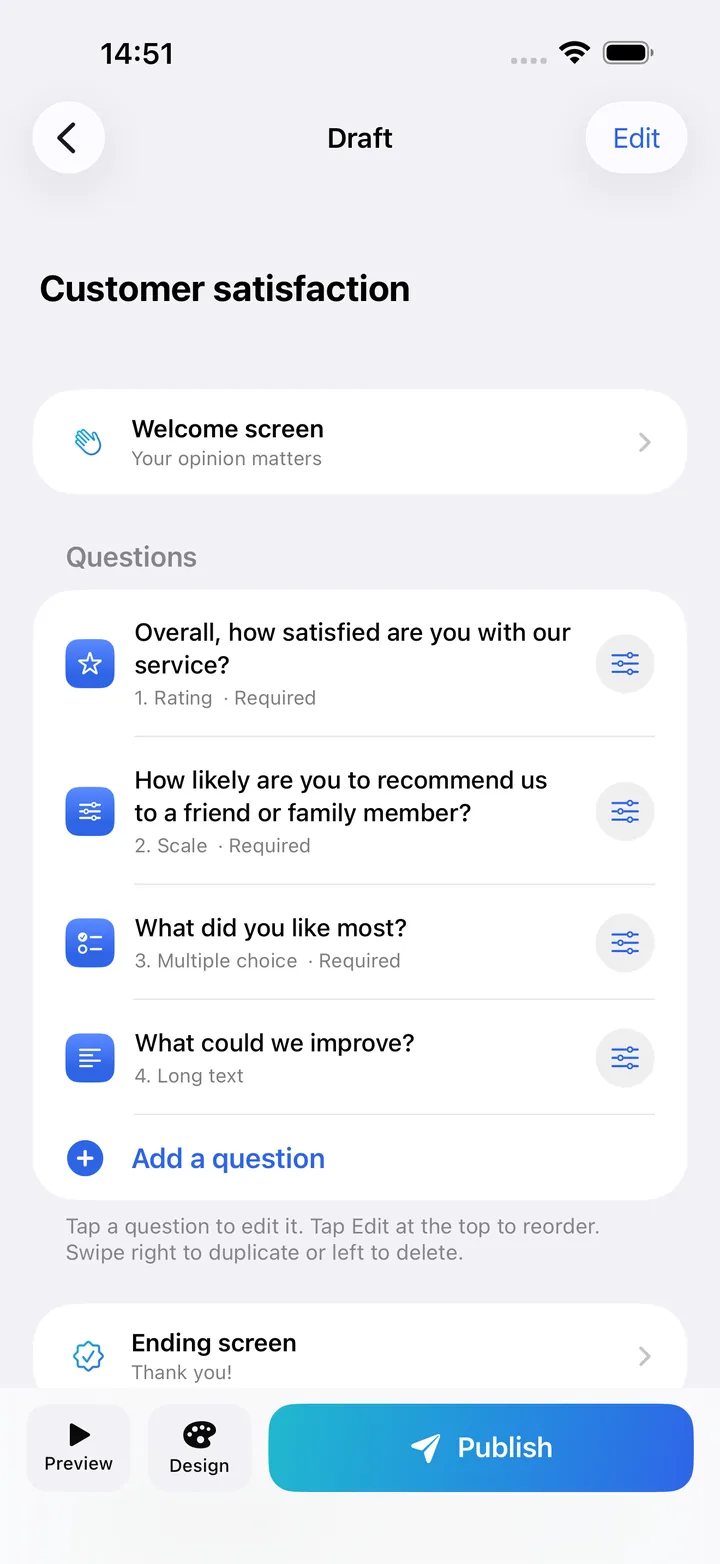
A survey idea on the train, a sign-up to launch before tonight, an order to take between two customers… With Kivoform, you build your forms on your iPhone, right when you need them.
Pick a template (customer satisfaction, event sign-up, contact, quick poll, a night out with friends, or order form) or start from a blank page. Then add your questions from 12 answer types.
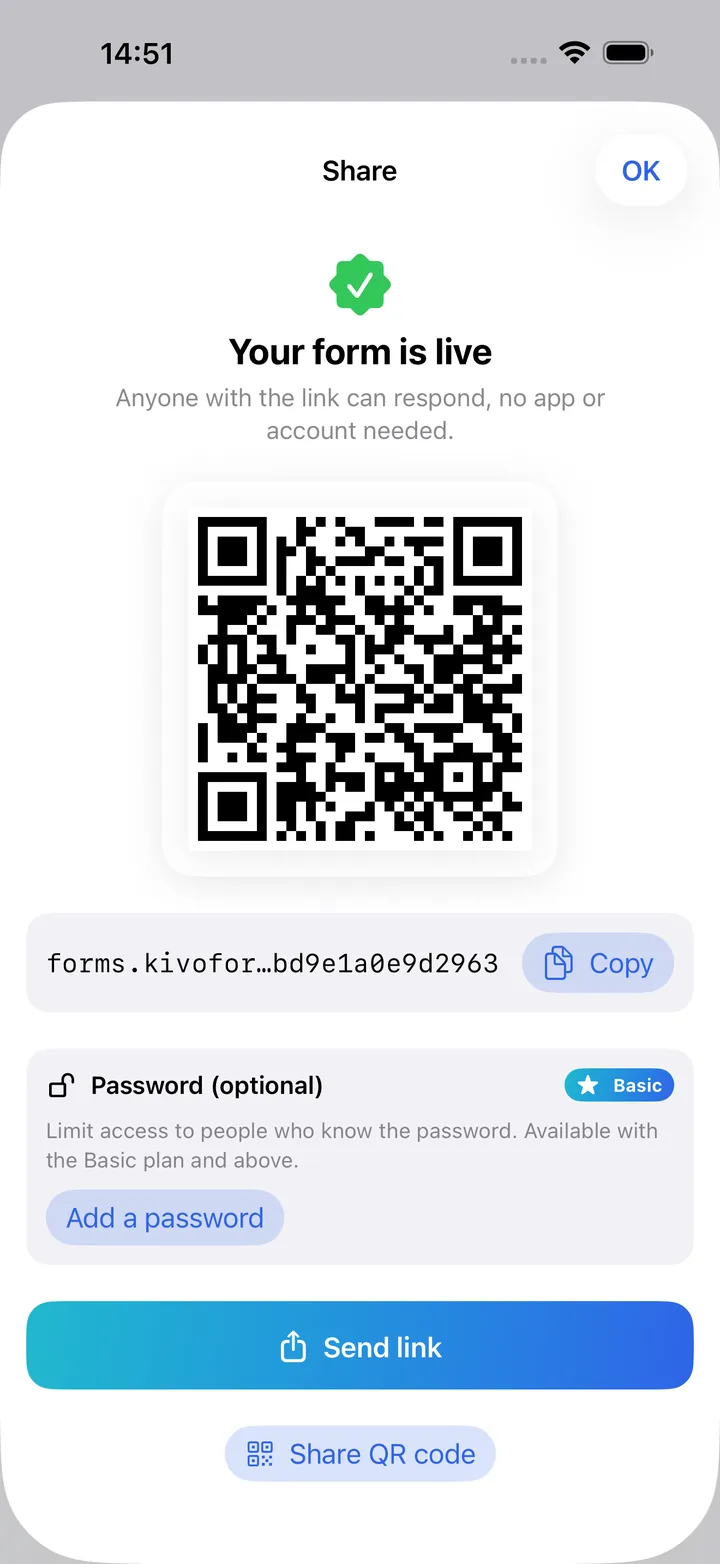
Tap Publish to put your form online. Then share it with its link or QR code, by text, by email, or with AirDrop.
People answer your form one step at a time, right in their browser. Each response shows up in your app, and you can get a notification as soon as a new one comes in.
Create, share, and analyse your forms with clear tools, from the first draft to the responses you receive.
Text, choices, yes/no, stars, scales, NPS, dates, numbers, emails, and phone numbers. Every answer is checked before it’s sent.
Show or skip questions based on each person’s answers, or end the form at the right moment.
10 themes, 3 font styles, and the option to create your own themes. All themes are available starting with the Basic plan.
Add images and YouTube or Vimeo videos to your questions to make your forms more engaging.
Get your forms out there without building a site or managing hosting.
Limit access to people who have the password. Available starting with the Basic plan.
Get all your responses in a spreadsheet, ready to analyse. Available on every plan.
Get an alert on your iPhone as soon as a response arrives, based on your preferences.
The form opens right in the browser, on a phone, tablet, or computer.
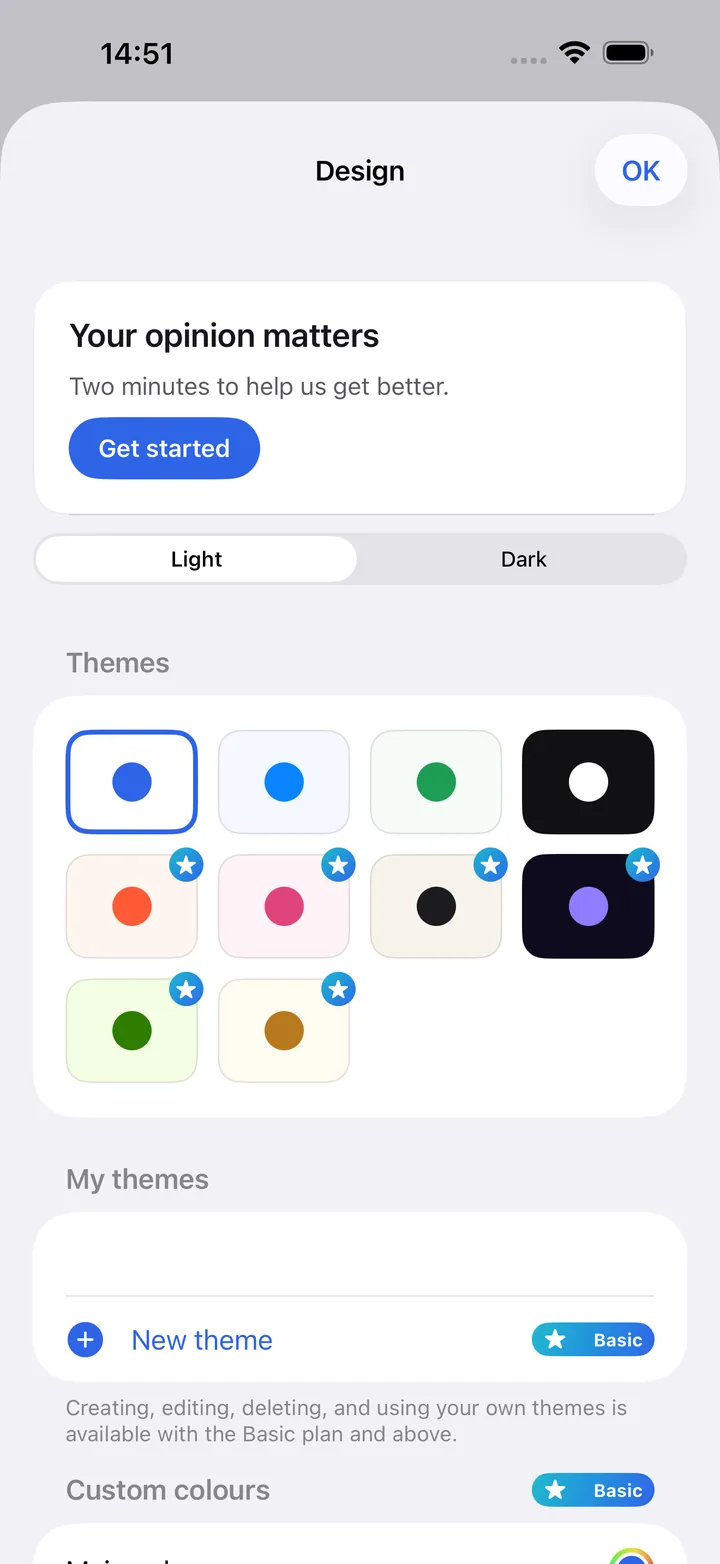
Choose a theme, adjust the colours and font, then add a background image with an overlay to keep the text readable. The live preview shows exactly how your form will look on your respondents' screens.
4 themes are included in the free plan. The other themes, custom themes, and background images are available starting with the Basic plan.
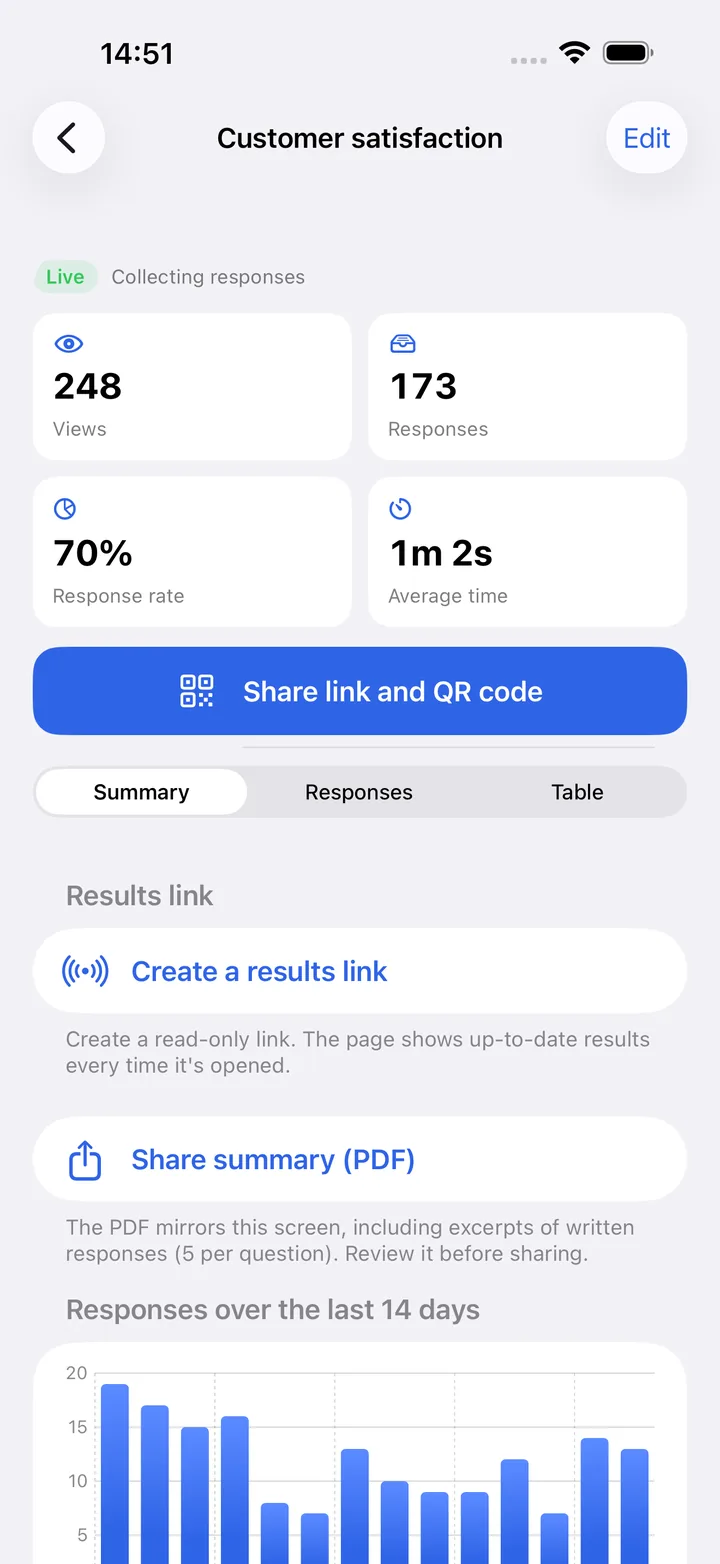
Track views, responses, response rate, and average completion time. See the results for each question in charts, then search, filter by date range, and export your responses from the table.
Use the app without giving a name or an email address.
No ads, no tracking across apps, and no third-party analytics.
Keep your responses with no time limit, or choose 1 year, 6 months, 90 days, or 30 days.
Delete your account and all your data right from the app.
Move up to a paid plan when your needs grow. No commitment, and you can cancel at any time in your iPhone settings.
For trying it out and small needs.
$0
No time limit
More responses and all the themes.
$3.99 per month
or $29.99 per year
More volume, without the Kivoform label.
$9.99 per month
or $79.99 per year
For high volumes.
$24.99 per month
or $199.99 per year
| Feature | Free | Basic | Premium | Pro |
|---|---|---|---|---|
| Online forms | Unlimited | Unlimited | Unlimited | Unlimited |
| Responses per month | 10 | 100 | 1,000 | 10,000 |
| Logic rules | 2 per form | Unlimited | Unlimited | Unlimited |
| Total uploaded images | 10 | 100 | 1,000 | 5,000 |
| Maximum image size | 5 MB | 10 MB | 10 MB | 10 MB |
| Password on forms | Not included | Included | Included | Included |
| CSV and Excel export | Included | Included | Included | Included |
| Response notifications | Included | Included | Included | Included |
| All themes, custom themes, background image | Not included | Included | Included | Included |
| Detailed statistics | Included | Included | Included | Included |
| PDF results summary | Included | Included | Included | Included |
| Link to view results | Included | Included | Included | Included |
| No “Made with Kivoform” label | Not included | Not included | Included | Included |
Prices are approximate US prices in US dollars. The exact price in your currency appears in the App Store before you buy. Subscriptions are billed by Apple and renew automatically unless you cancel at least 24 hours before the end of the period. When the monthly limit is reached, forms stop accepting responses until the first day of the next month.
No, you can use Kivoform without creating an account. An anonymous account is created automatically on your iPhone, with no name or email address, so you can create and publish forms the first time you open the app.
Signing in with Apple is optional. It lets you get your forms back on another iPhone, or after losing your session.
On the paid Basic, Premium, and Pro plans, signing in with Apple is never required to publish your forms.
After a reinstall, use Restore purchases to get your subscription back. To also get your forms back across several devices, sign in with Apple.
Yes, to get started. The free plan has no time limit and lets you publish unlimited forms, with 10 responses per month. The Basic, Premium, and Pro subscriptions raise the number of responses and unlock more features.
The app is built for iPhone and requires iOS 17 or later. There is no Android version of the app. The people who respond to your forms can use any browser though, on Android, iPhone, or a computer.
Kivoform offers 12 question types, from short or long text to single or multiple choice, plus yes/no answers, star ratings, scales, NPS, dates, times, numbers, email addresses, and phone numbers. Every answer is checked before it’s sent.
No. They open the link or scan the QR code and answer in their browser, on iPhone, Android, or a computer, with no account.
Your forms stop accepting responses until the first day of the next month, or until you move up to a higher plan. Responses you’ve already received stay available.
Yes. Every form can be exported to CSV or Excel, on any plan.
You choose for each form. You can keep responses with no time limit, or pick one year, six months, 90 days, or 30 days. After that period, they’re deleted automatically.
Your forms and responses are kept. The free plan’s limits and features apply again.
Have another question? Visit the help page or write to contact@kivoform.com.
Kivoform is coming soon to the App Store. In the meantime, see for yourself what your respondents will experience.